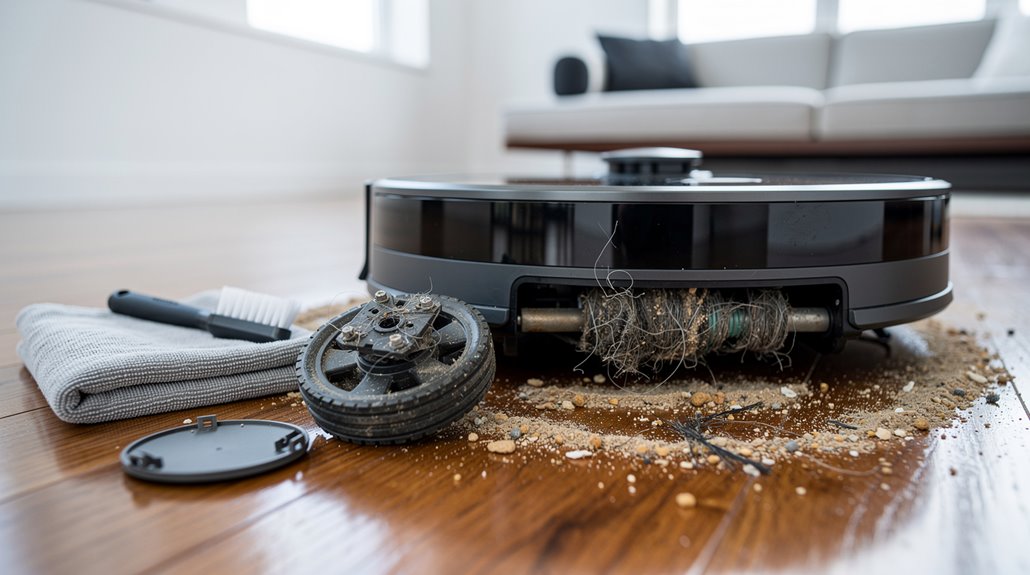
Your Roomba’s maddening pirouettes owe to sensors choked on dust, hair, and neglect—a symphony of mechanical ineptitude masquerading as technology. Infrared sensors hallucinate phantom walls; filthy wheels and claustrophobic caster wheels conspire to trap it in an endless waltz of futility. Bumper and cliff sensors exacerbate this farce by triggering groundless retreats, unmitigated by resets or software updates. Such obstinate failures epitomize design hubris, but understanding these quirks reveals why it won’t give up its pointless twirling just yet.
Why does a Roomba, a device heralded as the emblem of modern convenience, insist on performing an infuriating, Sisyphean dance—circling endlessly as if auditioning for a role in a low-budget horror flick? The answer, as one might have painfully deduced from prolonged exposure to this glorified dust bunny collector, lies in the tragic farce of its sensor debacles. Infrared sensors, apparently too delicate to soldier through mere dust, become clogged with the very debris they’re supposed to annihilate. The ironic twist? These optical windows, prone to smudging, demand ritualistic pampering with a microfiber cloth, lest the machine hallucinate phantom walls and launch into its maddening carousel. Regular maintenance, such as cleaning sensors, can significantly reduce these issues and improve navigation. This is often the root cause of the dreaded Roomba circling behavior that plagues many users.
Roomba’s dusty sensors spark endless, maddening circles—a tragic dance of high-tech frustration and phantom obstacles.
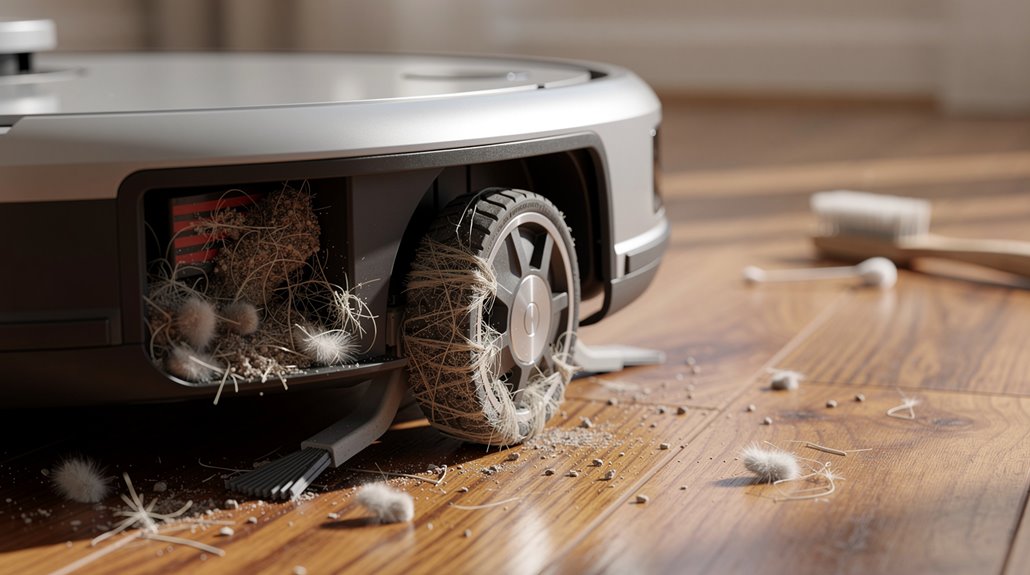
One must also not overlook the dirty wheels, a mechanical travesty scoffed at by any halfway competent janitor. Hair and grime entangle the wheel modules, forcing users into an archaeological dig beneath brushes and covers. Only after a spa treatment involving warm soapy baths, gentle scrubbing, and delicate drying can these wheels aspire to mere smooth forward locomotion. Without this, the Roomba either staggers awkwardly or pivots in place, reenacting a robotic pagan ritual that accomplishes neither peace nor cleanliness. If your Roomba shows similar symptoms to charging problems, you might need to check if the metal contacts are dirty and preventing proper wheel function.
Compounding the chaos are the wounded bumper and cliff sensors—infrared sentinels housed behind bumper panels, strangled by dust, triggering faux collisions and patriotic retreats from imaginary stairwells. None of which is rectified by rebooting, that quaint digital exorcism akin to shaking one’s fist at the heavens, performing a 20-second button hold, or unplugging the base station only to reforge the WiFi connection anew. When mythic software updates fail to amend these lunacies, the Roomba pirouettes on, a mechanical Sisyphean curse, spinning and backing up, an emblem of corporate overpromising and under-delivery.
Lastly, the front caster wheel, that neglected axis of directional hope, frequently chokes on hair and string, condemning the robot to a fate worse than death: restricted mobility. Together, these mechanical clarities serve as a lamentable apologia for how a sweeping robot can so spectacularly lose its way on the clean floor of technological hubris. Remapping rooms accurately through the iRobot home app can also help resolve navigation issues that lead to this endless circling.
Frequently Asked Questions
How Often Should I Clean My Roomba’s Sensors?
Roomba’s sensors should be cleaned once per month as part of routine maintenance. Regular monthly cleaning prevents dust buildup, guarantees accurate navigation, and extends device lifespan, effectively maintaining proper function and avoiding potential operational issues.
Can Roomba Map Multiple Floors of My Home?
Roomba’s advanced models, such as i7, i7+, and s9 series, can map and store multiple floor layouts. However, Roomba cannot ascend floors independently and must be manually relocated for cleaning different levels.
What Should I Do if My Roomba Won’T Dock?
If a Roomba won’t dock, verify base placement on a flat surface with adequate clearance, clean charging contacts and sensors, inspect worn parts like the front caster wheel, and perform a reset to resolve software glitches or battery issues.
How Long Does a Typical Roomba Battery Last?
A typical Roomba battery lasts between 1 and 2 years, with high-end models reaching up to 3 years. Battery life depends on usage, charging cycles, and maintenance, as capacity gradually decreases over time despite proper care habits.
Are Roomba Replacement Parts Covered Under Warranty?
Roomba replacement parts are covered under a one-year manufacturer warranty, except batteries, which have six months coverage if they fail to hold charge. Parts received during warranty do not receive an additional warranty period themselves.
References
- https://www.youtube.com/watch?v=H54S13-6Gow
- https://community.robotshop.com/forum/t/roomba-discovery-stays-in-one-place-for-awhile-then-backs-up/22091
- https://www.robotreviews.com/chat/viewtopic.php?t=6634
- https://www.ifixit.com/Answers/View/850640/How+to+stop+my+i7+from+spinning+in+circles+in+one+place
- https://www.youtube.com/shorts/y0zAxevza1I
- https://homesupport.irobot.com/s/article/358
- https://www.bookcleango.com/blog/clean-a-roomba
- https://support.irobot.co.uk/articles/en_US/Knowledge/11179
- https://www.robotreviews.com/chat/viewtopic.php?t=16
- https://www.vacuumdoctor.co.uk/blog/23-06-irobot-roomba-care.html