Meet the humble Chromebook—once the classroom warrior running on duct tape and Wi-Fi dreams, now reborn as a Linux-powered mini-machine thanks to a little firmware magic. What used to be a sluggish web-browser-on-a-laptop now purrs like a tech-savvy kitten, all because some clever folks said, “Hey, let’s give it a second life.”
And not just any life—a full-on Linux glow-up. Schools, startups, and even indie hackers are skipping the pricey server route and turning old Chromebooks into lean, mean, code-crunching machines. The best part? They’re doing it on a shoestring.
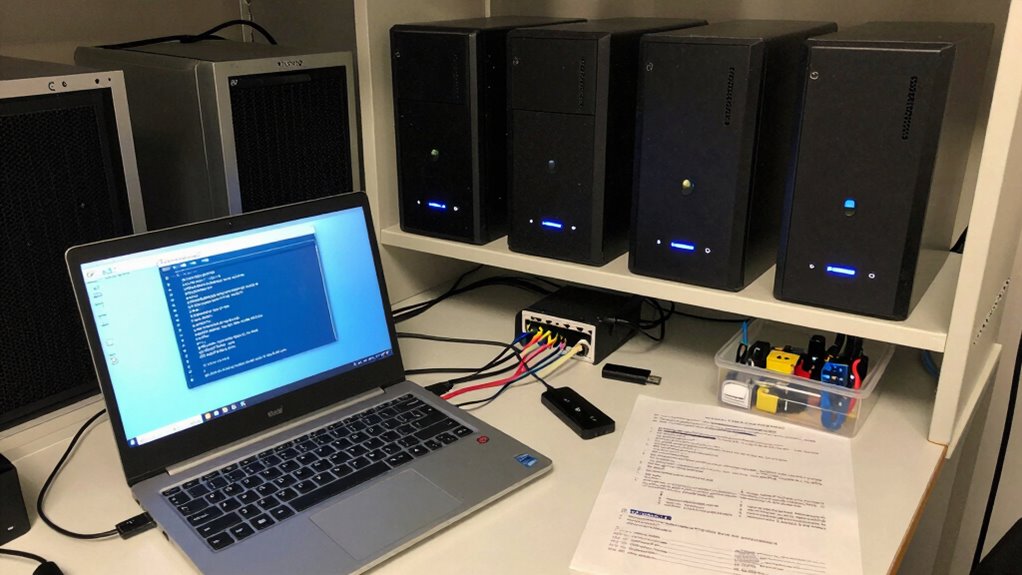
Cost savings are the name of the game here. Instead of blowing cash on brand-new servers, people are raiding storage closets full of forgotten Chromebooks. A quick Linux install, a bit of firmware modification, and boom—you’ve got a network-ready machine.
Cost savings are the name of the game—raid forgotten closets, flash Linux, tweak firmware, and boom: dusty Chromebooks become lean, network-ready machines overnight.
Even better, modest gear like a 16GB USB drive is enough to pull off the magic. One college kid turned five dusty Chromebooks into a personal cloud setup, joking that his “server farm” now fits in a lunchbox. This DIY approach mirrors the grassroots marketing strategy that helped companies like Wyze gain popularity in the smart home space.
The secret sauce? MrChromebox.tech. This open-source hero offers firmware tools that let users go full cowboy on their hardware. You can dual-boot, replace Chrome OS entirely, or run Linux alongside it using crouton (which lets you flip between systems with a few keystrokes—no reboot needed).
Some jump into full UEFI mode, a point of no return that turns their Chromebook into a general-purpose computer. Others play it safe with backups, just in case they typo their way into trouble.
Developer mode is the backdoor pass, activated with a few key combos. Sure, you get a “Hey, your OS is sketchy” warning every boot, but Ctrl+D shuts that up fast. From there, the Chronos shell gives admins full control, no extra tools needed.
Install times vary—about an hour for crouton, longer if you’re doing a full wipe—but patience pays off. Today’s repurposed Chromebook can run Ubuntu, Kali, or even lightweight desktops like XFCE4.
It’s not just recycling, it’s revenge on e-waste—and it’s kind of glorious. A new method called breath allows Linux installation on newer Chromebook models that previously resisted easy modification. This process often starts by accessing the shell.
References
- https://www.ifixit.com/Guide/How+to+convert+a+generic+Chromebook+to+Linux+OS/108259
- https://www.instructables.com/How-to-Install-a-Linux-OS-on-your-Chromebook/
- https://omahacs.com/blog/revitalize-your-old-chromebook-a-step-by-step-guide-to-installing-linux/
- https://itsfoss.com/install-linux-chromebook/
- https://support.google.com/chromebook/answer/9145439?hl=en
- https://www.youtube.com/watch?v=z6oyqrrXTLM