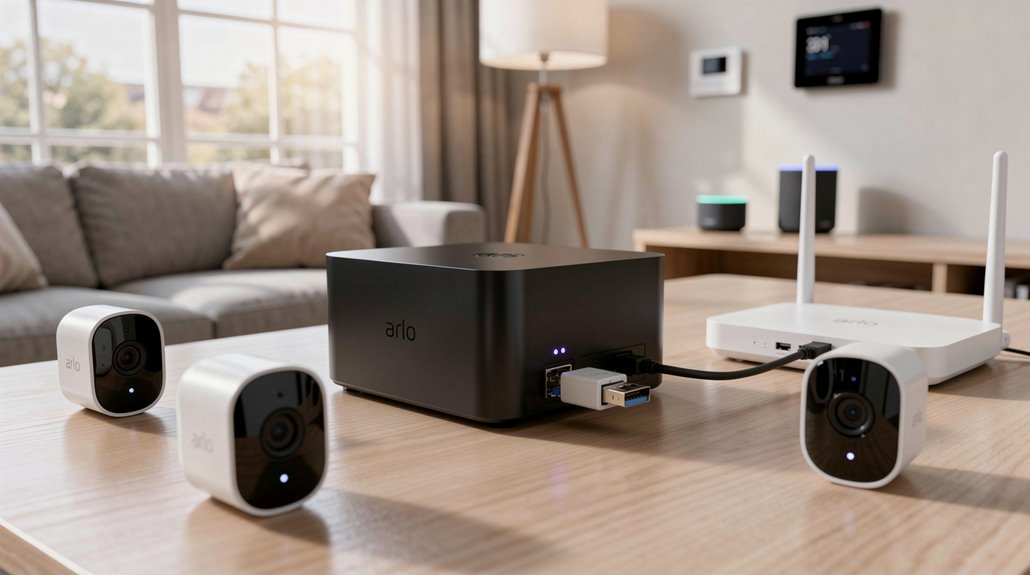
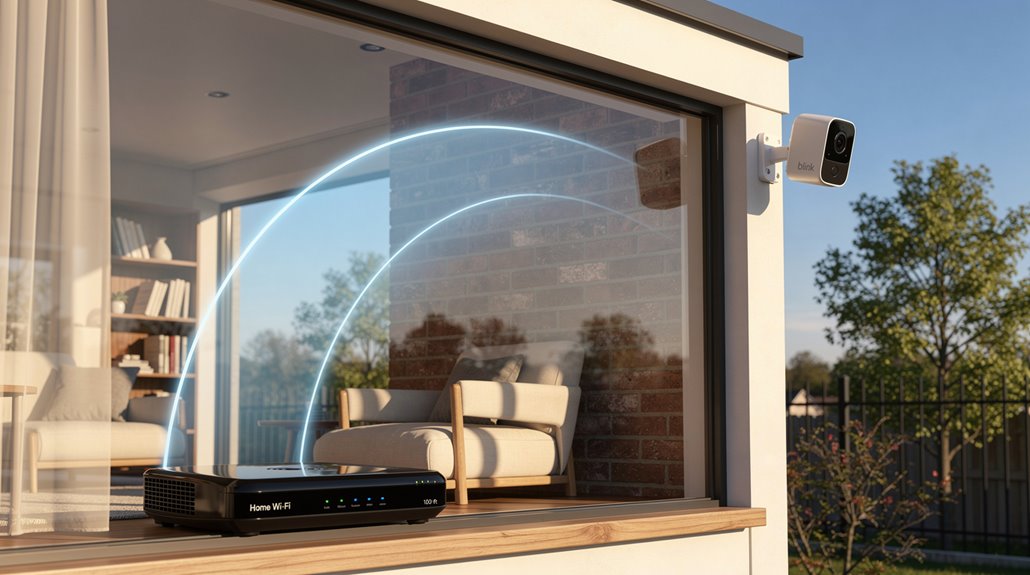
The Arlo Base Station, that indispensable “nerve center,” corrals your wire-free cameras onto a separate wireless frequency because, obviously, your home Wi-Fi isn’t compromised enough. It promises enhanced connectivity and storage—local USB backups tossed in as a feeble bribe against subscription fees—while brandishing a siren louder than your neighbor’s lawn mower at dawn. Setup requires the kind of patience reserved for assembling IKEA furniture without instructions. Keep at it, and the sarcastic enlightenments multiply.
In an era saturated with surveillance gadgets purporting to safeguard the sanctity of one’s domicile, the Arlo Base Station stands as the nexus of this Orwellian ecosystem—otherwise known as the nerve center where paranoia meets technology in an ugly embrace. This small, compact box, ostensibly designed to keep homes secure, doubles as the inquisitorial mastermind of the Arlo security network, corralling every wire-free camera into its iron grip via a specially minted wireless network, distinct and more secure than the home Wi-Fi that so quaintly connects our domesticated anxieties to the web. It facilitates a seamless remote monitoring experience through the Arlo app, empowering users to keep a watchful eye on their property from anywhere in the world. While Arlo Essential devices do not require this hub, the base station remains an important feature for many users who want enhanced connectivity and storage options through a dedicated device.
Physically, it’s unassuming: a power adapter, an Ethernet cable snake connecting it grudgingly to the home router, and a USB port keen to clutch external storage like a digital hoarder’s prized relic. This siren, a raucous banshee boasting over 100 decibels, serves less as a gentle warning and more as a shrill reminder that normality is extinct—activated manually or automatically by the Base Station’s vigilant auditory and motion senses, its wailing complicit in a panopticon of fear. The strategic separation of networks provides improved battery life for the connected cameras, extending their operational duration between charges.
A shrill banshee siren wails, a stark herald that normality has fled, summoned by ever-watchful senses.
Connectivity, the Base Station’s dark art, leverages a separate frequency to maintain robust, long-range links with Arlo’s cameras, with multiple hubs staked out like electronic sentinels to blanket properties in a digital talisman of mistrust. Compatibility is generous in its embrace; this hub juggles multiple generations of cameras as though assembling an unwieldy family reunion, allowing expansion without the undignified necessity of wholesale replacement.
Storage is where the Base Station assumes a cunning dual role: local and cloud-based recording dance in a Kafkaesque duet, with external USB drives providing a backup that snubs mandatory subscriptions—an ironic nod to consumer sovereignty in a commerce-driven dystopia.
Setup is as straightforward as one might hope, demanding Ethernet connectivity and a few taps through the Arlo app, the latter ensuring even the technically indifferent can orchestrate their own surveillance regime.
Frequently Asked Questions
Can the Arlo Base Station Work With Non-Arlo Cameras?
The Arlo base station cannot work with non-Arlo cameras due to proprietary wireless protocols and firmware requirements. Only Arlo wire-free cameras synchronize with the base station, excluding third-party devices from connectivity and advanced feature access.
How Do I Reset My Arlo Base Station?
To reset an Arlo base station, one can power cycle it by unplugging and reconnecting, perform a factory reset via the physical reset button for 10 seconds, or use the Arlo app’s settings menu to initiate a reset remotely.
What Is the Range Between the Base Station and Cameras?
The range between the Arlo base station and cameras typically reaches up to 300 feet outdoors under ideal conditions but is realistically about 75 to 100 feet indoors. Walls and obstructions greatly reduce effective connectivity distance.
Does the Base Station Support Two-Factor Authentication?
The Arlo Base Station does not explicitly support two-factor authentication at the device level. Security primarily relies on app login credentials and encrypted connections, with no documented implementation of two-factor authentication for base station access.
Can Multiple Users Access the Base Station Simultaneously?
Multiple users can access the Arlo base station simultaneously by logging into the same account. This enables real-time camera viewing and control across devices without restrictions, supporting shared monitoring among family members or authorized personnel efficiently.
References
- https://www.youtube.com/watch?v=5HMpkM_qN2k
- https://www.androidpolice.com/do-arlo-essential-devices-need-a-base-station/
- https://media.dustin.eu/media/d200001004269985/vms3330-base-station-3-cameras.pdf
- https://community.arlo.com/t5/Arlo-Ultra/Arlo-Hub-Distance-what-does-the-hub-provide-vs-my-WiFi/m-p/1742930
- https://community.arlo.com/t5/Arlo-Pro/What-is-the-Base-Station-for/td-p/1261550
- https://us.arlo.com/products/vmb4540-100nas
- https://www.youtube.com/watch?v=ng1qEaJA0kE
- https://www.sdilink.com/Specsheet/VMC4030P-100NAS-ADC.pdf
- https://www.bestbuy.com/site/arlo-base-station-with-siren-white/6395904.p?skuId=6395904
- https://community.arlo.com/t5/Arlo/Arlo-base-station-network-adapter-specs/td-p/1162132