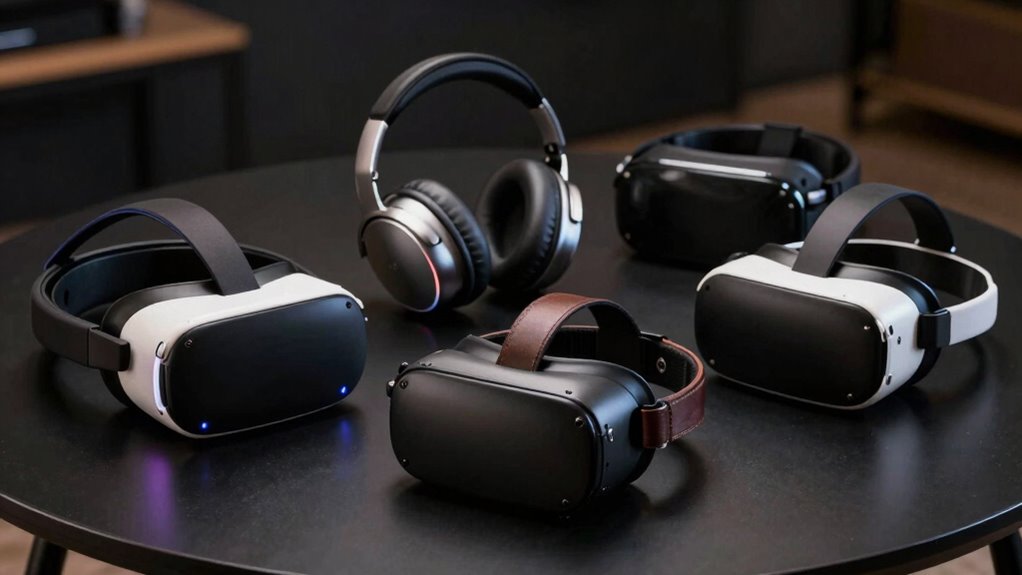

You’ll find five strong 2026 VR picks: DESTEK for phone-based kids’ play, Meta Quest 3S (128GB) for mixed-reality gaming and improved graphics, Meta Quest 3 (512GB) bundles for large local storage and extended warranties, and the HTC VIVE Focus Vision for enterprise use with high-resolution panels and eye-tracking. Compare visuals, tracking, battery life, comfort, and platform/content access to match your use case. Scroll on for full specs, detailed feature and price comparisons, and buying tips.
At a Glance
- Meta Quest 3S 128GB — Best portable gaming pick: Snapdragon XR2 Gen 2, improved graphics, 2+ hour wireless play, compact and travel-friendly.
- Meta Quest 3 512GB VR Headset Bundle — Best for heavy users: massive local storage for games/media and long-term play with bundled content and trials.
- Meta Quest 3 512GB with Horizon — Best for daily fitness and social VR: sharp 4K-like display, full-color passthrough, and extended Horizon+ access.
- HTC VIVE Focus Vision — Best for work and enterprise: high-resolution dual 2448×2448 LCDs, eye-tracking, 120° FOV, and business-grade warranty/MDM.
- DESTEK VR Headset for Kids — Best budget/travel option: fits 4.7–7.2″ phones, 110° FOV, adjustable headband, built-in buttons and Bluetooth remote.
| DESTEK VR Headset for Kids (Phones 4.7–7.2″) | 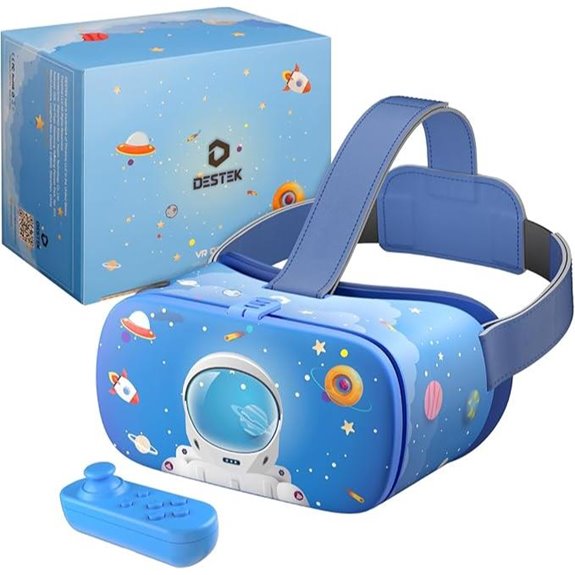 | Family-Friendly Pick | Primary use / experience: Educational & family-friendly VR (games, wildlife, 360° video) | Untethered / wireless operation: Smartphone-powered, untethered (no PC/console cords) | Controllers / input included: Bluetooth remote controller (built-in shooting button) | VIEW LATEST PRICE | Read Our Analysis |
| Meta Quest 3S 128GB Wireless VR Headset Bundle | 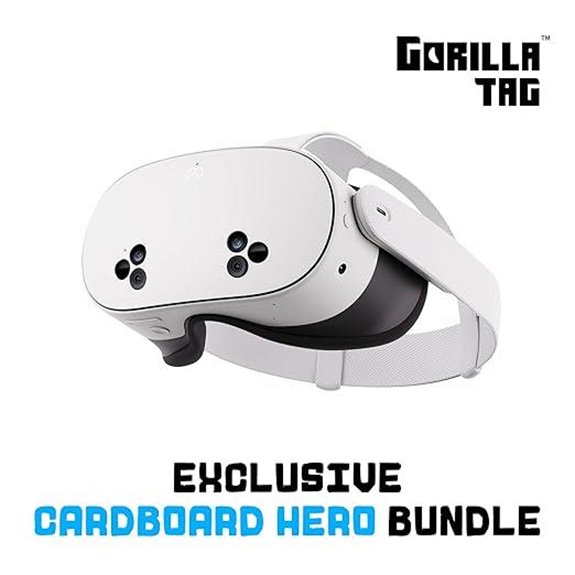 | Best Mixed Reality | Primary use / experience: Gaming & mixed-reality experiences | Untethered / wireless operation: Wireless/untethered standalone headset | Controllers / input included: Included handheld controllers (standard Quest controllers) | VIEW LATEST PRICE | Read Our Analysis |
| Meta Quest 3 512GB VR Headset Bundle |  | Best for Enthusiasts | Primary use / experience: Mixed reality gaming, movies, fitness | Untethered / wireless operation: Wireless/untethered standalone headset | Controllers / input included: Included handheld controllers (Quest bundle) | VIEW LATEST PRICE | Read Our Analysis |
| Meta Quest 3 512GB VR Headset with Horizon | 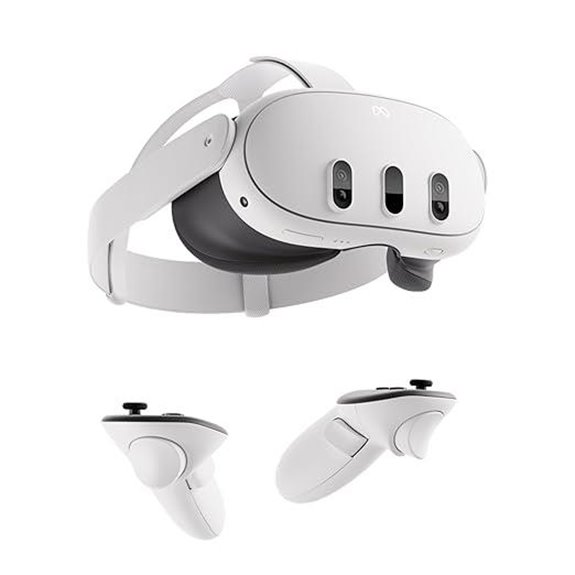 | Best for Visuals | Primary use / experience: Mixed reality gaming, movies, fitness | Untethered / wireless operation: Wireless/untethered standalone headset | Controllers / input included: Included handheld controllers (Quest bundle) | VIEW LATEST PRICE | Read Our Analysis |
| HTC Vive Focus Vision VR Business Bundle | 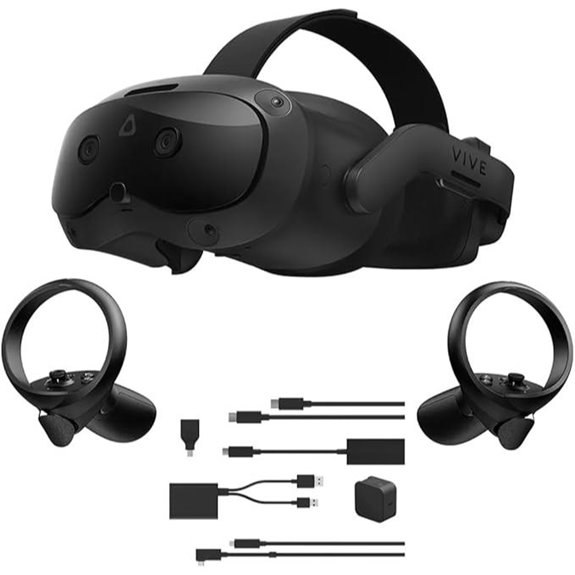 | Professional Grade | Primary use / experience: Professional & enterprise VR (business, pro visuals, streaming) | Untethered / wireless operation: Standalone wireless headset (business bundle with streaming) | Controllers / input included: Left & right motion controllers included | VIEW LATEST PRICE | Read Our Analysis |
More Details on Our Top Picks
DESTEK VR Headset for Kids (Phones 4.7–7.2″)
If you want a family-friendly, phone-powered VR headset made for kids and casual learners, the DESTEK VR Headset for Kids is a practical choice, because it fits most smartphones from 4.7 to 7.2 inches and includes an adjustable headband for a secure, comfortable fit. You insert a compatible phone, secure the strap, and calibrate lenses for clear viewing. The 110° field of view supports 360° video and immersive wildlife or adventure content, and built-in shooting buttons enable interactive games. The pack includes a Bluetooth remote, note it doesn’t support Daydream, and it’s suitable across ages for learning and play.
- Primary use / experience:Educational & family-friendly VR (games, wildlife, 360° video)
- Untethered / wireless operation:Smartphone-powered, untethered (no PC/console cords)
- Controllers / input included:Bluetooth remote controller (built-in shooting button)
- Visual / display capability:110° field of view, smartphone display driven
- Content / apps access:Compatible with VR/360 apps on smartphone (games, learning)
- Comfort / fit features:Fully adjustable headband for comfortable fit (kids focus)
- Additional Feature:Built-in shooting buttons
- Additional Feature:Bluetooth remote included
- Additional Feature:Fits phones 4.7–7.2″
Meta Quest 3S 128GB Wireless VR Headset Bundle
The Meta Quest 3S 128GB Wireless VR Headset Bundle is best for users who want a balance of upgraded performance and untethered mixed-reality play, especially if you value sharper graphics and portability for living-room sessions or on-the-go use. You get a Snapdragon XR2 Gen 2 processor and 8GB RAM, 33% more memory, delivering twice the graphical power of previous model, faster load times and more responsive tracking. Dual RGB color cameras provide full-color passthrough so virtual objects blend with your space. The headset is wireless, 2+ hours per charge, includes Gorilla Tag plus 1000 rocks, 40+ games and a 3-month trial.
- Primary use / experience:Gaming & mixed-reality experiences
- Untethered / wireless operation:Wireless/untethered standalone headset
- Controllers / input included:Included handheld controllers (standard Quest controllers)
- Visual / display capability:High-fidelity color passthrough, 2× GPU vs prior gen (sharp graphics)
- Content / apps access:Instant access to 40+ games; Gorilla Tag bundle; 3‑month trial
- Comfort / fit features:Lightweight, untethered design (consumer comfort emphasis)
- Additional Feature:128GB internal storage
- Additional Feature:Snapdragon XR2 Gen 2
- Additional Feature:Gorilla Tag bundle included
Meta Quest 3 512GB VR Headset Bundle
You’ll find the Meta Quest 3 512GB bundle best for serious gamers and media fans who want a roomy storage capacity, mixed-reality experiences, and a wireless, lightweight headset that fits into everyday living spaces. You can finance it with low monthly payments, sometimes as low as 0% APR, making higher capacity more affordable. The bundle includes 24 months of Meta Horizon+, giving you instant access to 40+ games, monthly drops, and exclusive deals, plus 24 months of Meta Warranty Plus with accident protection and no deductibles. You’ll enjoy mixed-reality, a vibrant screen, immersive games, and guided fitness experiences daily.
- Primary use / experience:Mixed reality gaming, movies, fitness
- Untethered / wireless operation:Wireless/untethered standalone headset
- Controllers / input included:Included handheld controllers (Quest bundle)
- Visual / display capability:Vibrant screen, mixed-reality visuals (high-res immersive display)
- Content / apps access:24 months Meta Horizon+ included (40+ games, monthly content)
- Comfort / fit features:Wireless, lightweight design for extended use
- Additional Feature:512GB internal storage
- Additional Feature:24‑month Horizon+ access
- Additional Feature:24‑month Warranty Plus
Meta Quest 3 512GB VR Headset with Horizon
Gamers and creators who need high-resolution, untethered VR and lots of storage will find the Meta Quest 3 512GB a strong choice, since it combines a nearly 30% sharper, 4K Infinite Display with a large local drive for apps and media. You get 2× graphical processing power from the Snapdragon XR2 Gen 2 and 8 GB RAM, improving visuals and multitasking. The headset runs wirelessly, so you can play, exercise, and explore untethered for over two hours per charge. Dual RGB cameras provide full-color passthrough, and a three-month Meta Horizon+ trial grants instant access to 40+ games, everywhere too.
- Primary use / experience:Mixed reality gaming, movies, fitness
- Untethered / wireless operation:Wireless/untethered standalone headset
- Controllers / input included:Included handheld controllers (Quest bundle)
- Visual / display capability:Nearly 30% sharper resolution, “4K Infinite Display”
- Content / apps access:3‑month Meta Horizon+ trial; instant access to 40+ games
- Comfort / fit features:Wireless, lightweight design for extended use
- Additional Feature:4K Infinite Display
- Additional Feature:Nearly 30% sharper
- Additional Feature:3‑month Horizon+ trial
HTC Vive Focus Vision VR Business Bundle
Businesses and professionals looking for a standalone, high-resolution VR solution will find the HTC Vive Focus Vision VR Business Bundle well suited to training, visualization, and remote collaboration, because it pairs a very sharp display with enterprise tools and support. You receive the Focus Vision headset Edition, Streaming Kit, left and right controllers with batteries, cushions, straps, AC adapter, splitter cable, and three years of VIVE Business+ with MDM and a two-year warranty. Dual 2448×2448 LCDs per eye run at 90 Hz with a 120° field of view. Inside-out four-camera tracking, eye-tracking, comfort, and magnetic, cleanable cushions simplify long sessions.
- Primary use / experience:Professional & enterprise VR (business, pro visuals, streaming)
- Untethered / wireless operation:Standalone wireless headset (business bundle with streaming)
- Controllers / input included:Left & right motion controllers included
- Visual / display capability:Dual LCD, 2448 × 2448 per eye, 90 Hz, 120° FOV
- Content / apps access:Business/streaming-ready content ecosystem; enterprise software (VIVE Business+)
- Comfort / fit features:Balanced weight, magnetically attached/cleanable cushions, quick-release headstrap
- Additional Feature:2448×2448 per eye
- Additional Feature:90 Hz refresh rate
- Additional Feature:Includes streaming kit
Factors to Consider When Choosing a VR Headset
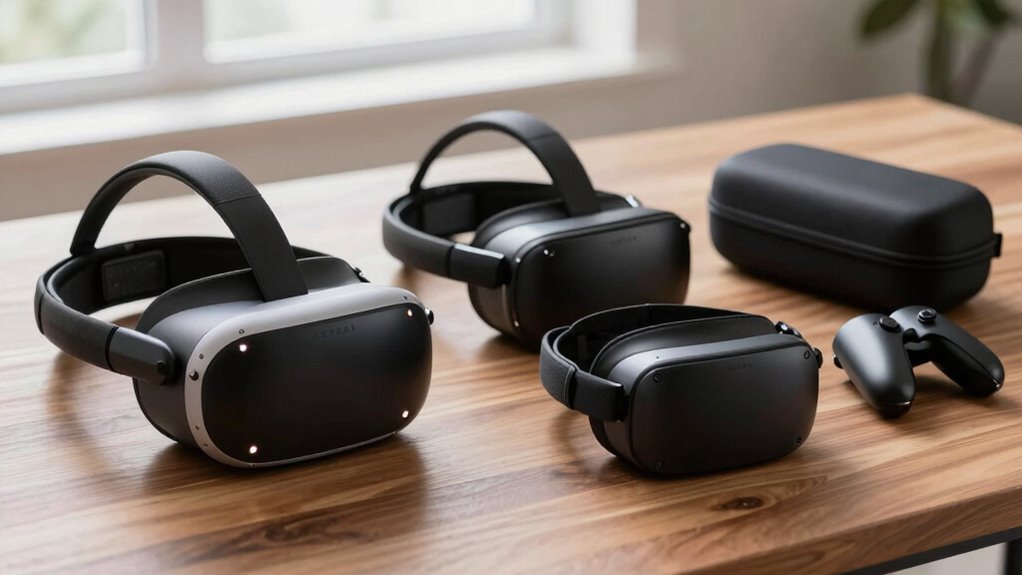
When choosing a VR headset, you should compare display and resolution, performance and processing power, comfort and fit, tracking and controllers, and the available content and compatibility. Check display specs for clarity and refresh rate, confirm the processor or PC/console requirements to avoid lag, and try the headset on to assess weight, padding, and adjustability for extended use. Also evaluate tracking precision and controller ergonomics for the experiences you want, and confirm that the headset supports the apps, stores, or platforms you plan to use.
Display & Resolution
Clarity matters a lot in VR, because the display and resolution determine how sharp images look and how comfortable you feel during use. You should check per‑eye resolution, which commonly ranges from about 1080×1200 up to 2448×2448, since higher per‑eye pixels reduce the screen‑door effect and improve fine detail and text readability. Consider pixels‑per‑degree (PPD) or pixel density, aim for roughly 10–20+ PPD to get noticeably sharper imagery across the view. Refresh rate (60Hz, 90Hz, 120Hz+) interacts with the panel to affect motion clarity, so higher rates reduce motion blur and discomfort. Compare panel type, contrast, brightness in nits, and HDR support for color and black levels. Finally, assess optics, sweet‑spot size, and adjustable IPD to preserve usable sharpness across the field and realism.
Performance & Processing Power
After checking display, resolution, and optics, you’ll need to focus on the headset’s processing capabilities, because those determine whether visuals run smoothly and tracking stays responsive. Check the system-on-chip and GPU, since modern XR-class processors with high shader throughput render complex scenes without frame drops. Aim for 6–8+ GB of system RAM so scene streaming and multitasking don’t stutter when loading large textures or passthrough data. Match the GPU to the panel: higher resolution and refresh rates, like 90 Hz or above, raise workload and require a processor that can deliver consistent frames. Keep motion-to-photon latency under about 20 ms, relying on fast rendering pipelines and tracking. Finally, evaluate sustained performance, looking for cooling, battery effects, long-duration benchmarks, and real-world stress tests too regularly.
Comfort & Fit
How comfortable a headset feels will determine whether you can use it for long sessions, so check several fit and comfort features before buying. Choose adjustable headbands and a top strap to distribute weight, aim for 300–700 g to reduce neck strain. Look for replaceable breathable face cushions like memory foam or PU leather, plus removable gasket spacers to cut pressure on your nose and cheeks and improve hygiene. Verify interpupillary distance adjustment, stepped or continuous, so you can align lenses to avoid blurring and eye strain. Make sure a glasses-friendly design with at least 10 mm internal clearance and removable lens covers for prescription frames. Prefer models with ventilation or airflow and a balanced center of gravity to limit heat and pressure points overall.
Tracking & Controllers
Comfort and fit help you wear a headset for long sessions, but tracking and controllers determine what you can do once you’re in the virtual space. First, pick between 3DOF and 6DOF: 3DOF tracks rotation only and limits you to head-rotation experiences, while 6DOF adds position tracking for room-scale movement and object interaction. Second, decide on inside-out or outside-in tracking: inside-out uses on-device cameras for easier setup but can suffer occlusion, outside-in uses external sensors for larger, more consistent volumes. Third, evaluate controller tracking, which fuses IMU and optical/infrared data to reach sub-20 ms latency and millimeter-level accuracy. Consider hand-tracking tradeoffs, haptics, number of tracking points, and battery life—commonly four to twenty-plus hours—since these affect precision and session length. Test tracking in your space.
Content & Compatibility
Which platforms will give you the apps and games you want, and will your PC or phone meet the headset’s requirements? Check whether the headset is standalone, PC‑tethered, or smartphone‑powered, because many apps are exclusive and won’t run across all device types. Verify OS version, USB or DisplayPort support, minimum GPU and CPU, and free storage so installs and large downloads run smoothly. Confirm controller and input options—hand‑tracking, motion controllers, gamepad, or keyboard and mouse—since interaction methods shape available experiences. Examine content ecosystems and distribution models, including native stores, sideloading, subscription catalogs, cross‑buy, and open standards. If you plan mixed‑reality or 360°/3D creation, check supported file formats, WebXR, and engine integrations like glTF and FBX to guarantee compatibility. Prioritize platforms that match your needs.
Frequently Asked Questions
How Do I Clean and Disinfect VR Face Cushions Safely?
Clean and disinfect VR face cushions by removing covers, wiping foam with mild soap and water, then using 70% isopropyl wipe or spray lightly; air-dry fully before reassembling, and don’t ever soak or use bleach.
Can I Wear Prescription Eyeglasses Comfortably With These Headsets?
Yes, you can wear prescription glasses with VR headsets, but comfort varies; you’ll want models with generous eye-box, removable cushions, adjustable lens spacing, or prescription lens inserts to avoid pressure and fogging during extended sessions.
Are Portable Battery Packs Compatible for Extended Travel Play Sessions?
Right off the bat, yes — you’ll use portable battery packs to extend travel play; pick USB PD compatible packs with high capacity, reliable cables, and safe use so your headset stays powered quite reliably.
What’s the Typical Warranty and Repair Process for VR Headsets?
You’ll typically get a one- to two-year warranty covering manufacturing defects; you’ll contact the manufacturer or retailer, ship or bring the headset, they’ll repair or replace it, and sometimes charge for out-of-warranty fixes and labor.
How Can I Reduce Motion Sickness During Long VR Sessions?
You’re able to reduce motion sickness by taking breaks, keeping sessions shorter, using smooth locomotion or teleportation, increasing frame rates, adjusting headset fit and IPD, focusing on stable horizon, staying hydrated, and easing into intensity.
Conclusion
You’ll pick a headset that promises the future, then read specs like a confession, and decide based on storage or price. You should prioritize comfort, tracking, and battery life, because those determine daily use, not marketing slogans. For kids or work, match features to need, balance cost and safety, and test fit where possible. Follow those steps, and you’ll avoid buyer’s remorse while getting the experience you actually want without regretting the purchase later ever.